如果你处在局域网的内网中,想获取你的外网IP地址。这里有一个使用Javascript调用ip138获取外网IP的方法,十分简单,代码如下:


JavaScript代码
  1. <script language="javascript">      
  2. xml=new ActiveXObject("Microsoft.XMLHTTP");      
  3. xml.open("GET","http://www.ip138.com/ip2city.asp",false);      
  4. xml.send();      
  5. kk=xml.ResponseText;      
  6. i=kk.indexOf("[");      
  7. ie=kk.indexOf("]");      
  8. ip=kk.substring(i+1,ie);      
  9. document.write("<span style=‘color:red;font-size:12;‘ cursor=‘hand‘>您的IP地址是:" + ip + "</span>");      
  10. </script>  


  SSL、SET和PGP是当前Internet 上比较常用的加密方法,它们在各自的应用范围内都拥有很大的用户群。本文将对这三种流行的加密方法做一比较介绍。

  SSL(Secure Socket Layer)

  SSL协议是由Netscape首先发表的网络资料安全传输协定,其首要目的是在两个通信间提供秘密而可靠的连接。该协议由两层组成,底层是建立在可靠的传输协议(例如:TCP)上的是SSL的记录层,用来封装高层的协议。SSL握手协议准许服务器端与客户端在开始传输数据前,能够通过特定的加密算法相互鉴别。SSL的先进之处在于它是一个独立的应用协议,其它更高层协议能够建立在SSL协议上。

  目前大部分的Web Server及Browser大多支持SSL的资料加密传输协定。因此,可以利用这个功能,将部分具有机密性质的网页设定在加密的传输模式,如此即可避免资料在网络上传送时被其他人窃听。

  SSL是利用公开密钥的加密技术(RSA)来作为用户端与主机端在传送机密资料时的加密通讯协定。目前,大部分的Web Server及Browser都广泛使用SSL 技术。

  对消费者而言,SSL已经解决了大部分的问题。但是,对电子商务而言问题并没有完全解决,因为SSL只做能到资料保密,厂商无法确定是谁填下了这份资料,即使这一点做到了,还有和银行清算的问题。

  SET(Secure Electronic Transaction)

  SET是IBM、信用卡国际组织(VISA/MasterCard)以及相关厂商针对网络电子交易共同制定的安全协议,它运用了RSA安全的公钥加密技术,具有资料保密性、资料完整性、资料来源可辨识性及不可否认性,是用来保护消费者在Internet持卡付款交易安全中的标准。SET 1.0版于1997年6月正式问世。现在,SET已成为国际上所公认的在Internet电子商业交易中的安全标准。

  SET协议用在安全电子银行卡的支付系统中,使用客户端的浏览器,应用于从商业站点到商业银行中。网上银行使用已经存在的程序和设备通过确认信用卡,清算客户银行户头完成交易。SET协议则通过隐藏信用卡号来保证整个支付过程的安全。所以,SET必须保证信用卡持有者与银行在现存系统和网络上,能够保持持续的联系。SET协议为在不同的系统中使用信用卡创建了一套完整的解决办法。可靠的身份验证使SET成为一个非常好的在线支付系统。它使交易中每个合法参与者能够拥有一个合理的身份,而对持卡者的身份验证是由银行来进行的。当然这其中还包括其它服务,比如:身份认证、客户服务等。这是建立另外一个可靠的用户连接的方法。同时可以方便在发生纠纷时进行仲裁。

  SET与SSL都是做消费者的认证工作的,也就是说不仅全球数据网购物站需要在认证单位进行认证,消费者也必须从认证机构获取认证。

  SET是由Electronic Wallet(电子钱包)、Merchant Server(商店端服务机)、Payment Gateway(付款转接站)和Certification Authority(认证中心)组成的,它们构成了Internet 上符合SET标准的信用卡授权交易。

  一般来说,在开放式网络上进行金融交易以SSL及SET交易协定为主,其中又以 SET被国际公认为最安全的。有鉴于此,VISA/MASTER在1997年6月提出了名为电子交易(SET:Secure Electronic Transaction)的网络交易安全规格,这个规格基本上也是利用与SSL同样的大数值编码技术,来保证资料保密与使用者认证的工作。

  目前信用卡的安全交易标准SET仍在进行前期建设。在该系统尚未正式运作前,消费者在网络上利用信用卡进行购物时,仍须承担信用卡资料被盗用的风险。

  敏感性资料在传递过程中被窃听,交易资料在传递过程中被篡改,交易的双方身份被假冒,完全相同的订单重复送出,这些问题即使对于目前SET安全交易标准来说仍旧有一定困难。利用WWW给用户提供机密性的资料时更多的会使用User Profile、SSL或CA,以避免资料在网络上传送时被其他人窃听。

  PGP(Pretty Good Privacy)

  目前,还有一种非常好的连接网络与桌面的安全方法,PGP(Pretty Good Privacy)。

  PGP是一个公钥加密程序,与以前的加密方法不同的是PGP公钥加密的信息只能用私钥解密。在传统的加密方法中,通常一个密钥既能加密也能解密。那么在开始传输数据前,如何通过一个不安全的信道传输密钥呢?使用PGP公钥加密法,你可以广泛传播公钥,同时安全地保存好私钥。由于只有你可拥有私钥,所以,任何人都可以用你的公钥加密写给你的信息,而不用担心信息被窃听。

  使用PGP的另一个好处是可以在文档中使用数字签名。一个使用私钥加密的密钥只能用公钥解密。这样,如果人们阅读用你的公钥解密后的文件,他们就会确定只有你才能写出这个文件。

  PGP是一个软件加密程序,用户可以使用它在不安全的通信链路上创建安全的消息和通信。PGP协议已经成为公钥加密技术和全球范围消息安全性的事实标准。因为所有人都能看到它的源代码,从而查找出故障和安全性漏洞,所有的故障和漏洞都在发现后被改正了。

    * 在支持position:fixed的浏览器上使用position:fixed,这样当拖动共同条的时候弹窗位置是固定的。
    * 优化了IE6下onscroll 事件绑定的函数

还需改进的地方(过段事件等项目应用的时候会修改):

    * 30秒后自动关闭
    * 方便的插入弹出内容


JavaScript代码
  1. var RBMessage={      
  2.     boxW:200,      
  3.     boxH:101,      
  4.     init:function(){      
  5.         var that = this;      
  6.         this.createBox();      
  7.         document.getElementById("msg_close").onclick = function() {      
  8.             that.BoxWin.style.display="none";      
  9.         }      
  10.     },      
  11.     bind: function() { //绑定窗口滚动条与大小变化事件      
  12.         var that = this,      
  13.         st, rt;      
  14.         window.onscroll = function() {      
  15.             if( !!window.ActiveXObject &amp;&amp; !window.XMLHttpRequest ){      
  16.                 clearTimeout(st);      
  17.                 clearTimeout(that.timer2);      
  18.                 that.setOpacity(0);      
  19.                 st = setTimeout(function() {      
  20.                     that.BoxWin.style.top = that.getY().top;      
  21.                     that.show();      
  22.                 },500);      
  23.             }      
  24.         };      
  25.         window.onresize = function(){      
  26.             if (!!window.ActiveXObject &amp;&amp; !window.XMLHttpRequest) {      
  27.                 clearTimeout(rt);      
  28.                 rt = setTimeout(function(){      
  29.                     that.BoxWin.style.top = that.getY().top      
  30.                 }, 100);      
  31.             }      
  32.         }      
  33.     },      
  34.     show: function() { //渐显      
  35.         clearInterval(this.timer2);      
  36.         var that = this,      
  37.         fx = this.fx(0, 100, 0.1),      
  38.         t = 0;      
  39.         this.timer2 = setInterval(function() {      
  40.             t = fx();      
  41.             that.setOpacity(t[0]);      
  42.             if (t[1] == 0) {      
  43.                 clearInterval(that.timer2)      
  44.             }      
  45.         },      
  46.         10);      
  47.     },      
  48.     fx: function(a, b, c) { //缓冲计算      
  49.         var cMath = Math[(a – b) > 0 ? "floor""ceil"],      
  50.         c = c || 0.1;      
  51.         return function() {      
  52.             return [a += cMath((b – a) * c), a – b]      
  53.         }      
  54.     },      
  55.     setOpacity: function(x) { //设置透明度      
  56.         var v = x >= 100 ? ‘‘‘Alpha(opacity=‘ + x + ‘)‘;      
  57.         this.BoxWin.style.visibility = x < = 0 ? ‘hidden‘‘visible‘//IE有绝对或相对定位内容不随父透明度变化的bug      
  58.         this.BoxWin.style.filter = v;      
  59.         this.BoxWin.style.opacity = x / 100;      
  60.     },      
  61.     getY: function() { //计算移动坐标      
  62.         var d = document,      
  63.         b = document.body,      
  64.         e = document.documentElement;      
  65.         var s = Math.max(b.scrollTop, e.scrollTop);      
  66.         var h = /BackCompat/i.test(document.compatMode) ? b.clientHeight: e.clientHeight;      
  67.         var h2 = this.BoxWin.offsetHeight;      
  68.         return {      
  69.             foot: s + h + h2 + 2 + ‘px‘,      
  70.             top: s + h – h2 – 2 + ‘px‘     
  71.         }      
  72.     },      
  73.     moveTo: function(y) { //移动动画      
  74.         clearInterval(this.timer);      
  75.         var that = this;      
  76.         var moveTopNum=-that.boxH;      
  77.         this.timer = setInterval(function() {      
  78.             moveTopNum+=5;      
  79.             that.BoxWin.style.bottom =  moveTopNum +‘px‘;      
  80.             if (moveTopNum >= 0) {      
  81.                 clearInterval(that.timer);      
  82.                 that.bind();      
  83.             }      
  84.         },50);      
  85.         return this;      
  86.     },      
  87.     createBox:function(){      
  88.         this.BoxWin=document.createElement(‘div‘);      
  89.         this.BoxWin.style.width = this.boxW+"px";      
  90.         this.BoxWin.style.height =  this.boxH+"px";      
  91.         this.BoxWin.style.bottom = – this.boxH+"px";      
  92.         this.BoxWin.id = "msg_win";      
  93.         this.BoxWin.innerHTML = ‘<div class="icos"><a href="javascript:void 0" title="关闭" id="msg_close">X</a></div><div id="msg_title">温馨提示(标题)</div><div id="msg_content"></div>‘;      
  94.         document.body.appendChild(this.BoxWin);      
  95.         var that = this;      
  96.         setTimeout(function() { //初始化最先位置      
  97.             that.BoxWin.style.display = ‘block‘;      
  98.             that.moveTo();      
  99.         },1000);      
  100.         return this;      
  101.     }      
  102. };      
  103. RBMessage.init();    

手工法:

Click Start, click Run, type regedit, and then click OK.

  1. In the left pane, locate and then click the following registry subkey:
    HKEY_LOCAL_MACHINESoftwareMicrosoftWindowsNTCurrent VersionWPAEvents
  2. In the right pane, right-click OOBETimer, and then click Modify.
  3. Change at least one digit of the OOBETimer value to deactivate Windows.
  4. Click Start, click Run, type the following command, and then click OK:
    %systemroot%system32oobemsoobe.exe /a
  5. Click Yes, I want to telephone a customer service representative to activate Windows, and then click Next.
  6. Click Change Product key, type the new product key in the New key boxes, and then click Update. 


    Note If the previous Activation Wizard screen appears again, click Remind me later, and then restart the computer.
  7. Repeat steps 6 and 7 to verify that Windows is started. Click OK when you receive the following message:
    Windows is already activated. Click OK to exit.
  8. Install any Windows service packs that you want to install. 


    Note If you cannot restart Windows after you install a service pack, press F8 when you restart the computer, click Last Known Good Configuration, and then repeat this procedure.


脚本法:

ChangeVLKeySP1.vbs

ASP/Visual Basic代码
  1. ‘    
  2. ‘ WMI Script – ChangeVLKey.vbs   
  3.   
  4. ‘ This script changes the product key on the computer.   
  5.   
  6. ‘***************************************************************************   
  7.   
  8. ON ERROR RESUME NEXT   
  9.   
  10.   
  11. if Wscript.arguments.count<1 then   
  12.    Wscript.echo "Script can‘t run without VolumeProductKey argument"  
  13.    Wscript.echo "Correct usage: Cscript ChangeVLKey.vbs ABCDE-FGHIJ-KLMNO-PRSTU-WYQZX"  
  14.    Wscript.quit   
  15. end if   
  16.   
  17. Dim VOL_PROD_KEY   
  18. VOL_PROD_KEY = Wscript.arguments.Item(0)   
  19. VOL_PROD_KEY = Replace(VOL_PROD_KEY,"-",""‘remove hyphens if any   
  20.   
  21. for each Obj in GetObject("winmgmts:{impersonationLevel=impersonate}").InstancesOf ("win32_WindowsProductActivation")   
  22.   
  23.    result = Obj.SetProductKey (VOL_PROD_KEY)   
  24.   
  25.    if err <> 0 then   
  26.       WScript.Echo Err.Description, "0x" & Hex(Err.Number)   
  27.       Err.Clear   
  28.    end if   
  29.   
  30. Next  


ChangeVLKey2600.vbs


ASP/Visual Basic代码
  1. ‘    
  2. ‘ WMI Script – ChangeVLKey.vbs   
  3.   
  4. ‘ This script changes the product key on the computer.   
  5.   
  6. ‘***************************************************************************   
  7.   
  8. ON ERROR RESUME NEXT   
  9.   
  10. if Wscript.arguments.count<1 then   
  11.    Wscript.echo "Script can‘t run without VolumeProductKey argument"  
  12.    Wscript.echo "Correct usage: Cscript ChangeVLKey.vbs ABCDE-FGHIJ-KLMNO-PRSTU-WYQZX"  
  13.    Wscript.quit   
  14. end if   
  15.   
  16. Dim VOL_PROD_KEY   
  17. VOL_PROD_KEY = Wscript.arguments.Item(0)   
  18. VOL_PROD_KEY = Replace(VOL_PROD_KEY,"-",""‘remove hyphens if any   
  19. Dim WshShell   
  20. Set WshShell = WScript.CreateObject("WScript.Shell")   
  21. WshShell.RegDelete "HKLMSOFTWAREMicrosoftWindows NTCurrentVersionWPAEventsOOBETimer" ‘delete OOBETimer registry value   
  22. for each Obj in GetObject("winmgmts:{impersonationLevel=impersonate}").InstancesOf ("win32_WindowsProductActivation")   
  23.   
  24.    result = Obj.SetProductKey (VOL_PROD_KEY)   
  25.   
  26.    if err <> 0 then   
  27.       WScript.Echo Err.Description, "0x" & Hex(Err.Number)   
  28.       Err.Clear   
  29.    end if   
  30.   
  31. Next   

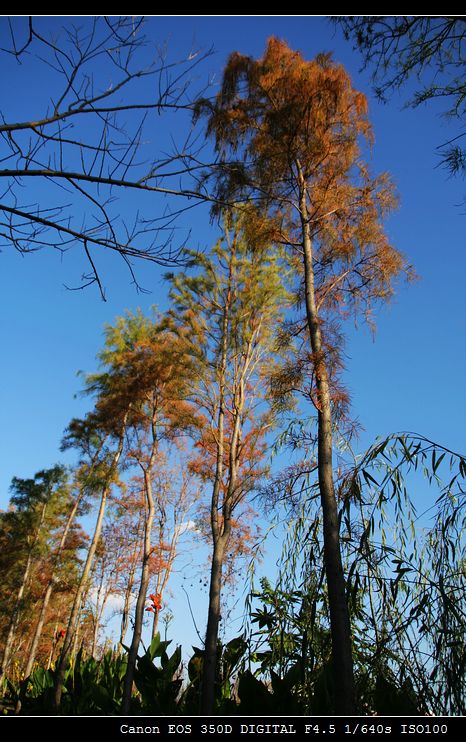
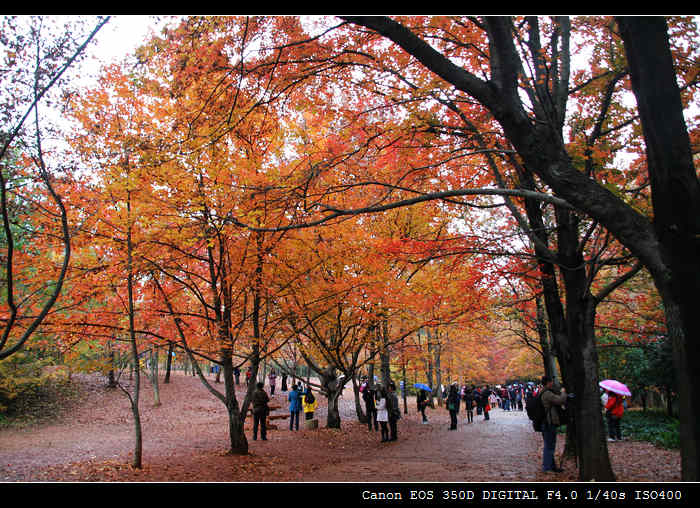
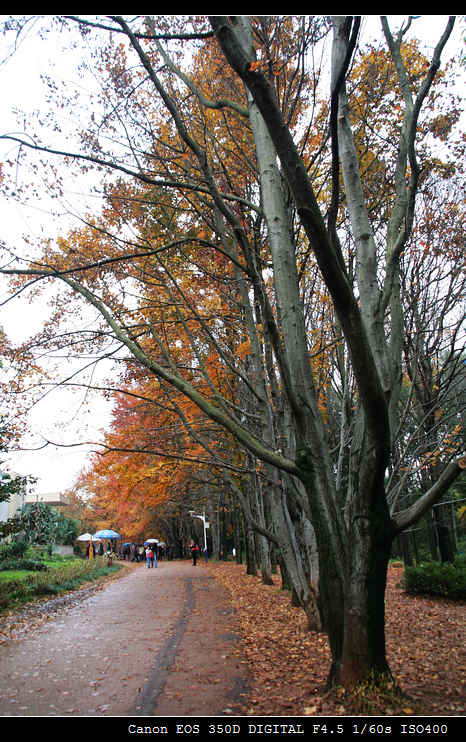
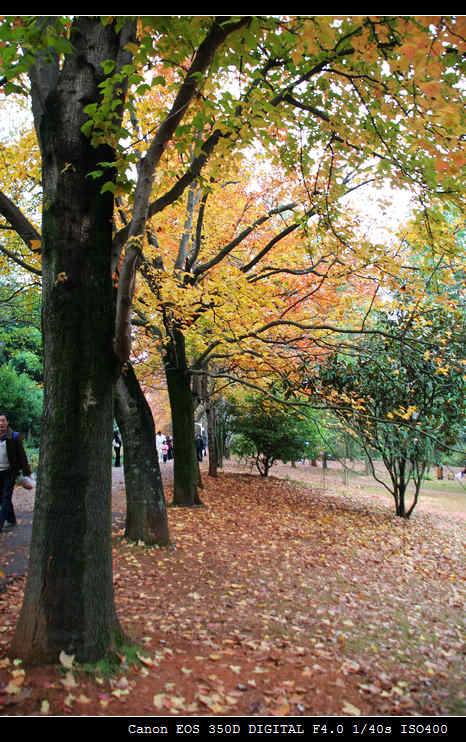
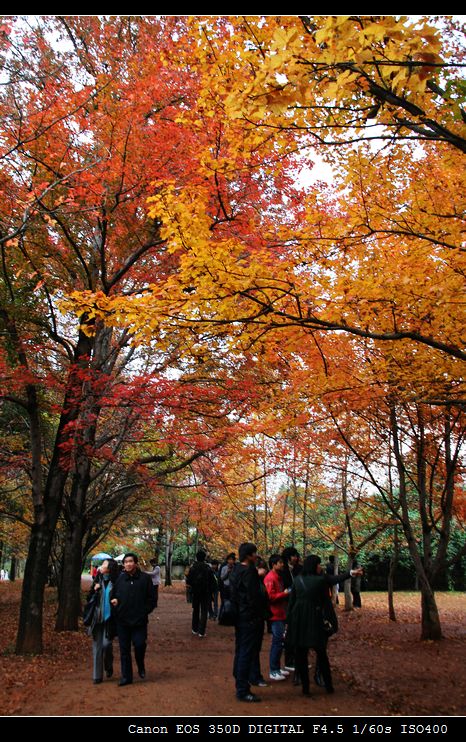
听说植物园的枫叶红了好久了,一直都没时间去。

上礼拜天刚好有了点时间,于是就去了却了这个心愿。

我们去的时候也比较晚了,进园的时候都快下午4点了。还是人山人海…

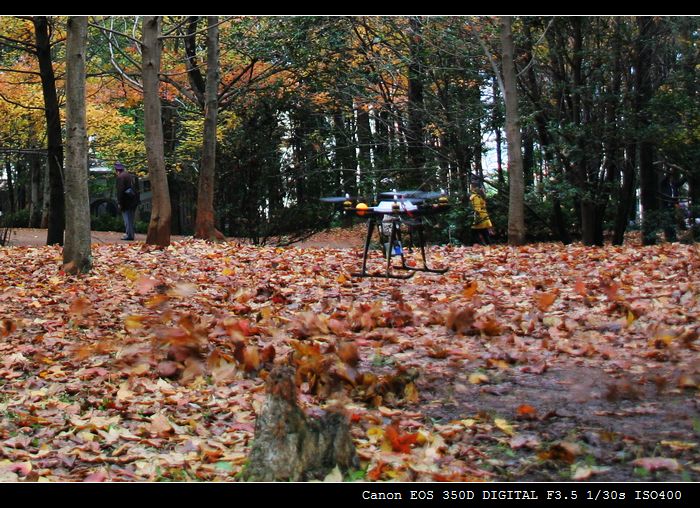
这次我还带了我的航拍利器GAUI 330X-S,大家可以欣赏一下我的航拍视频了,呵呵。

好了,废话少说。上图上视频吧!

img_0175.jpg

img_0172.jpg

img_0171.jpg

img_0158.jpg

img_0015.jpg

img_0152.jpg


高清版本:


今天刚好有文件需要在网络上共享,搜了一下,发现几个比较不错的网络文件共享网站。遂共享出来给大家…

1. http://www.uudisc.com UUSHARE

    需注册,提供1G的空间。速度不错。

2. http://www.dbank.com 数据银行

    无需注册

3. http://www.qiannao.com 千脑网盘

4. http://www.box.net

5. http://www.rayfile.com Rayfile 飞速网

6. http://www.mediafire.com/

7. http://www.ziddu.com/

8. http://u.115.com 115优蛋


通过今年的十一,更加的怀念去年十一的雨崩行。

发现Blog上的雨崩行还有最后一篇没有完成,故推出此补完篇。呵呵

路线呢,就是我们从飞来寺出发。经白马雪山、香格里拉,最后回到昆明。

文字就略过啦,直接照片滴说话。

img_2576.jpg

img_2577.jpg

img_2591.jpg

img_2596.jpg

img_2600.jpg

img_2602.jpg

img_2656.jpg

img_2658.jpg

img_2675.jpg

img_2722.jpg

img_2724.jpg

img_2735.jpg

img_2799.jpg

img_2812.jpg

img_2829.jpg

img_2867.jpg

img_2882.jpg

img_2974.jpg

img_2924.jpg

img_2919.jpg

img_2990.jpg